openwrt24-25路由器创建LACP聚合给NAS使用

AI 文章摘要

本文介绍了如何在OpenWrt 24+路由器上创建LACP聚合给NAS使用。首先,在系统中安装必要的软件包,然后配置绑定/聚合设备,选择合适的聚合策略。接着,在NAS上设置LACP聚合,并配置网桥设备,将网桥接口设置为bond设备加原有lan设备。最后,完成配置后即可生效。...
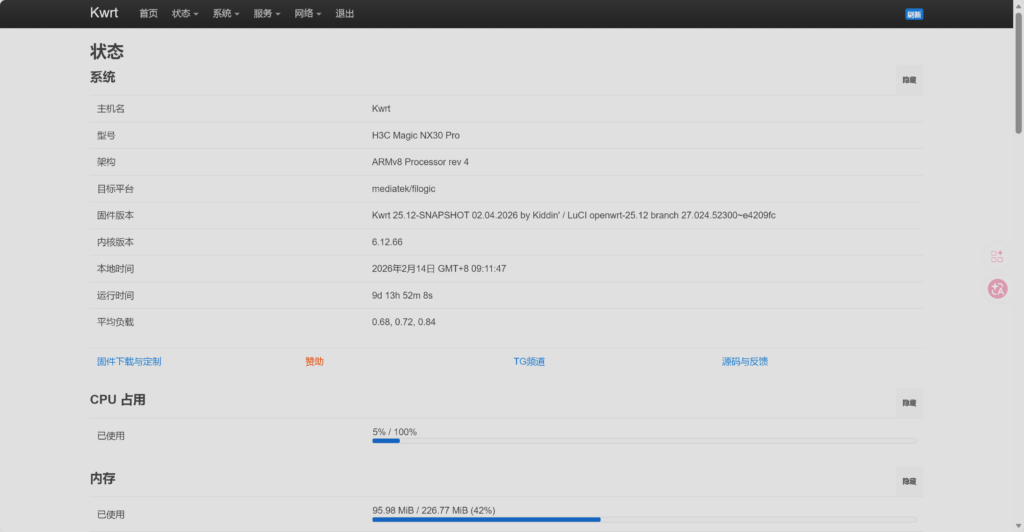
我的路由器
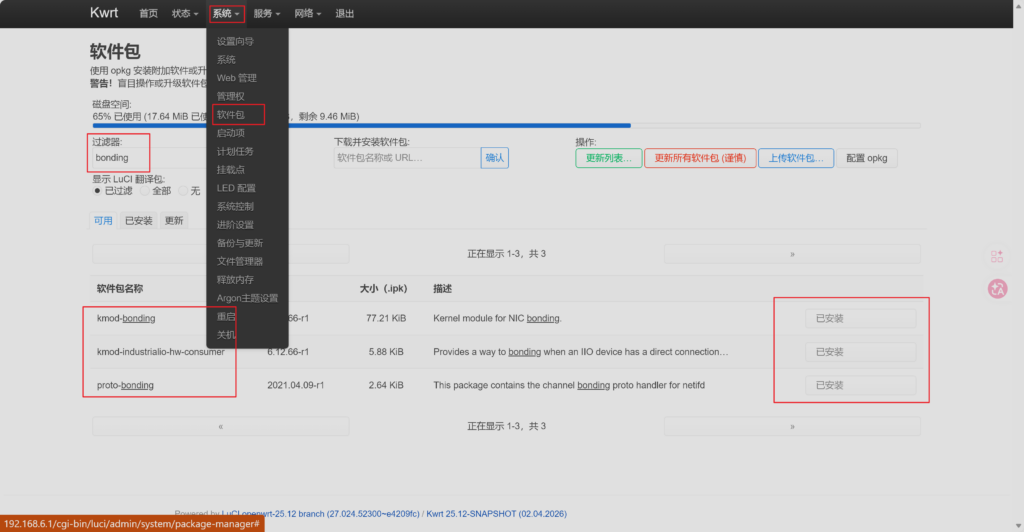
1、【系统】-【软件包】中安装bonding软件包:kmod-bonding、kmod-industrialio-hw-consumer、proto-bonding
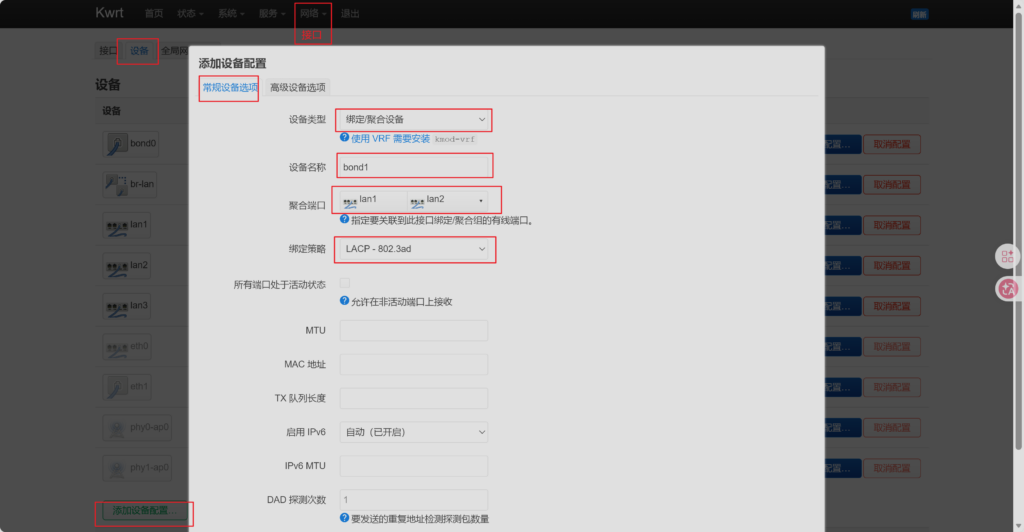
2、【网络】-【接口】-【设备】-【添加设备配置…】-【设备类型】中选择“绑定/聚合设备”,设置“设备名称”、“聚合端口”、“绑定策略”。
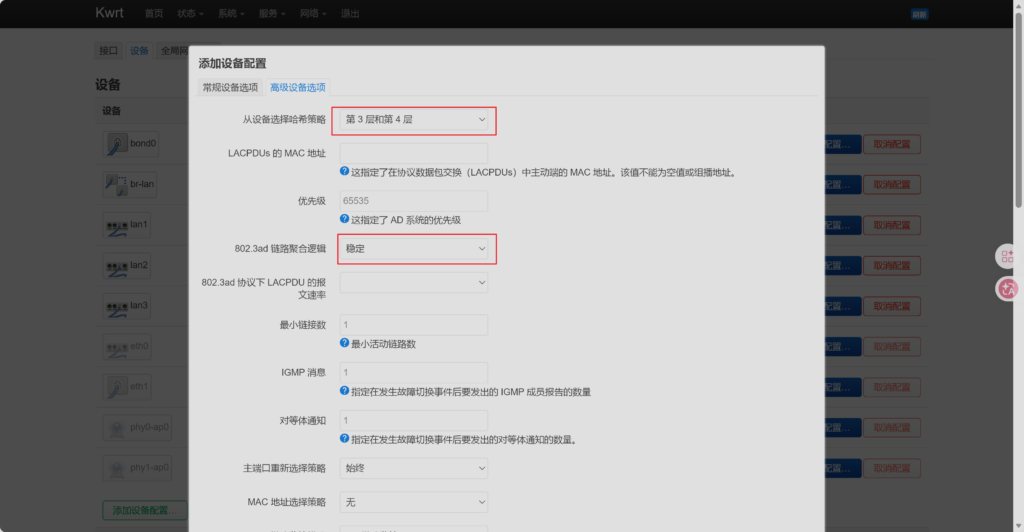
下面这张可以按需选择:
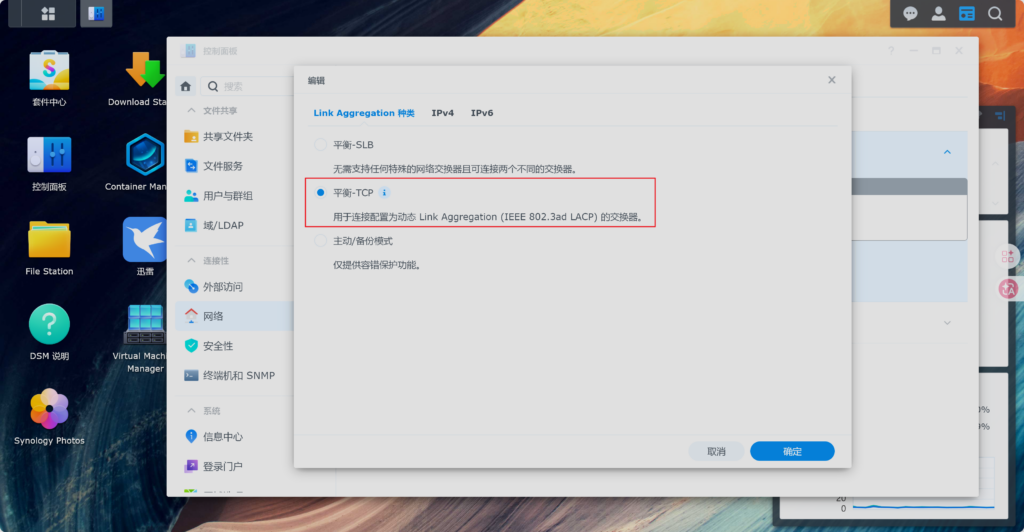
3、将nas上的bond设备改为平衡-TCP的LACP聚合。
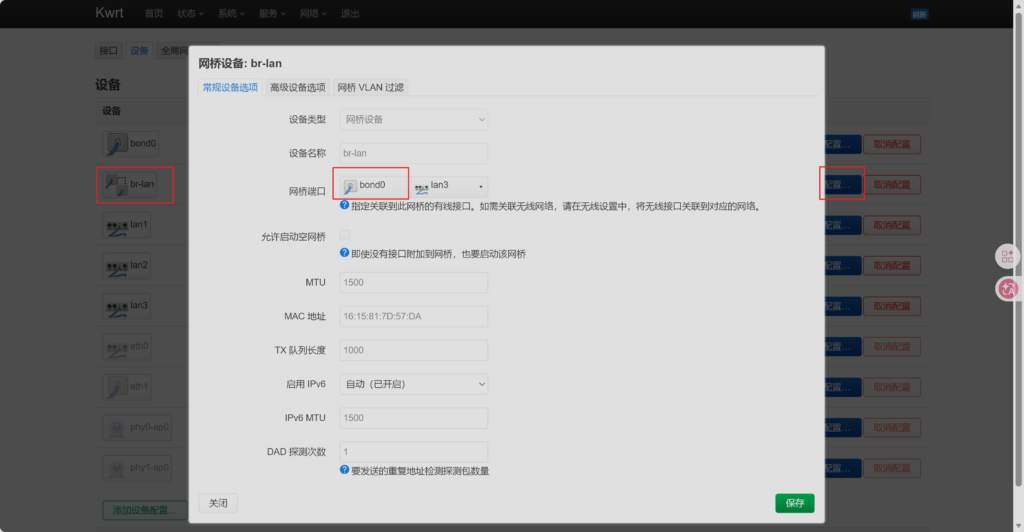
4、配置网桥设备br-lan,将网桥接口设置为刚刚添加的bond设备+原有的lan设备。
5、这样就能生效了。

由于网络上都是openwrt23的说明,24以上的没有,我这个是25的,找不到攻略,特此记录成功方案。

暂无评论

发送评论 编辑评论


|´・ω・)ノ
ヾ(≧∇≦*)ゝ
(☆ω☆)
(╯‵□′)╯︵┴─┴
 ̄﹃ ̄
(/ω\)
∠( ᐛ 」∠)_
(๑•̀ㅁ•́ฅ)
→_→
୧(๑•̀⌄•́๑)૭
٩(ˊᗜˋ*)و
(ノ°ο°)ノ
(´இ皿இ`)
⌇●﹏●⌇
(ฅ´ω`ฅ)
(╯°A°)╯︵○○○
φ( ̄∇ ̄o)
ヾ(´・ ・`。)ノ"
( ง ᵒ̌皿ᵒ̌)ง⁼³₌₃
(ó﹏ò。)
Σ(っ °Д °;)っ
( ,,´・ω・)ノ"(´っω・`。)
╮(╯▽╰)╭
o(*////▽////*)q
>﹏<
( ๑´•ω•) "(ㆆᴗㆆ)
😂
😀
😅
😊
🙂
🙃
😌
😍
😘
😜
😝
😏
😒
🙄
😳
😡
😔
😫
😱
😭
💩
👻
🙌
🖕
👍
👫
👬
👭
🌚
🌝
🙈
💊
😶
🙏
🍦
🍉
😣
Source: github.com/k4yt3x/flowerhd
Source: https://github.com/MengXi2021/Argon-Emoji-DailyNotes
Source: https://github.com/Ghost-chu/argon-huhu-emotions
https://github.com/qs5667/argon_bilibili_emoji
Source: github.com/zhheo/Sticker-Heo
颜文字
Emoji
小恐龙
花!
每日手帐
呼呼
B站基础表情
B站节日表情
B站游戏表情
B站活动表情
Heo
上一篇